Tag: remote

  • My 2026 Development Workflow: Claude Code Desktop + Cursor

    My 2026 Development Workflow: Claude Code Desktop + Cursor

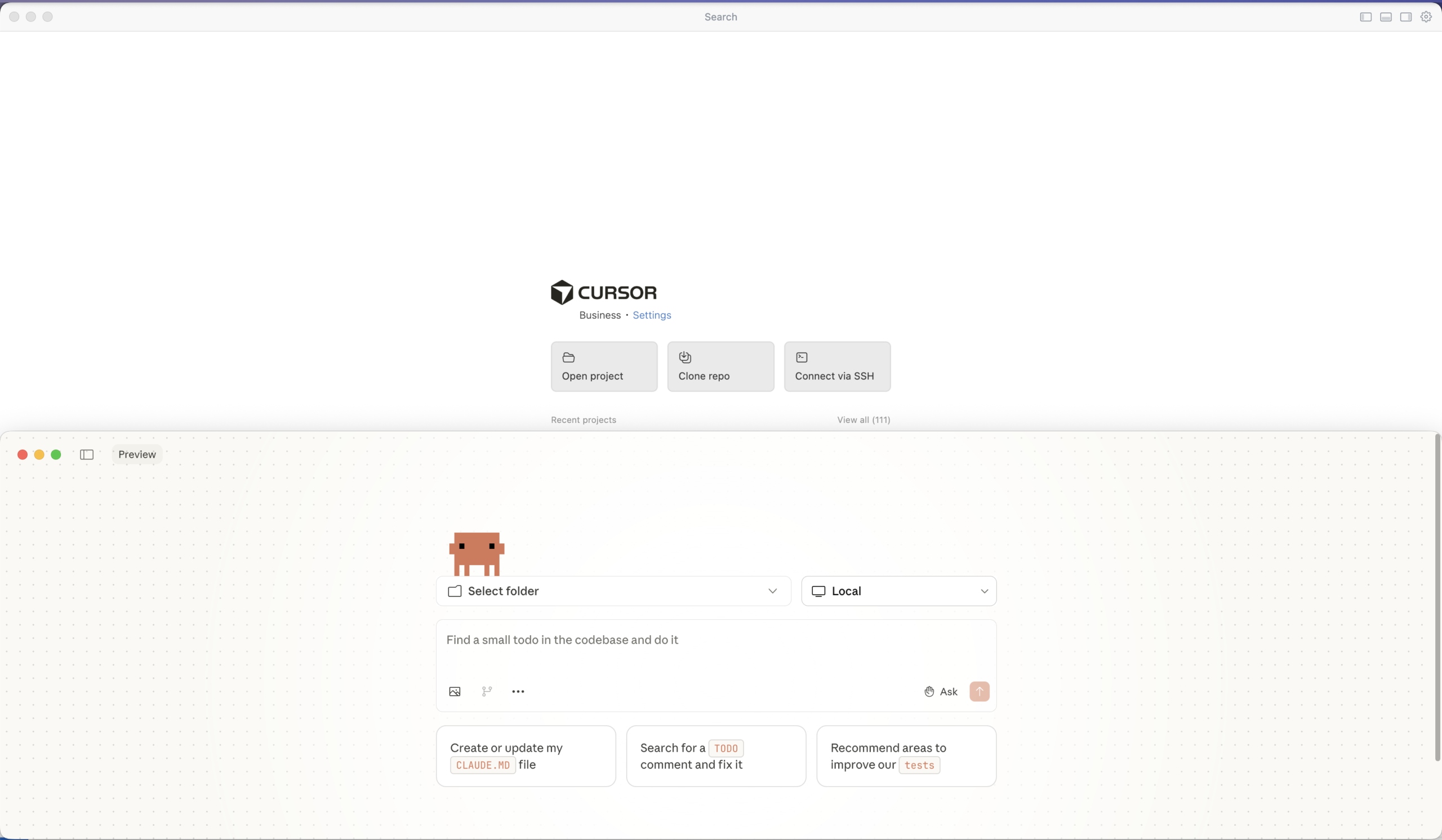
    I’ve been refining my development workflow over the past few months, and I’ve landed on a combination that feels incredibly productive: Claude Code from the Desktop app paired with Cursor for code review. Let me walk you through how I work.

    Anthropic recently added a native “Code” tab directly inside the Claude Desktop app. It is a GUI for the engine that powers the CLI. One notable feature is its support for isolated Git worktrees. This means you can have a brainstorming conversation in one tab while a “Code” session runs in another, making changes in a separate worktree that won’t touch your main working directory until you’re ready to merge.

    Why not git worktree? My workflow is simple enough that I just work directly in my main/feature branch and review everything in Cursor before committing. But if you’re juggling multiple experimental features or want that extra safety net, the worktree support is there.

    Why not the CLI? I know many developers swear by the Claude Code CLI, but I’ve found the Desktop app suits my workflow better. There’s something about having a dedicated window for my AI conversations that keeps things organized. I can easily reference previous discussions, and the interface feels more natural for the kind of back-and-forth dialogue I have when working through complex problems.

    The Workflow

    Here’s how my typical development session looks:

    1. Brainstorm with Claude Desktop

    Before writing any code, I start by talking through the problem with Claude. I describe what I’m trying to accomplish, share relevant context about my project, and bounce ideas back and forth. This conversation helps me clarify my thinking and often surfaces edge cases I hadn’t considered. It’s like having a patient colleague who’s always available to rubber duck with.

    I then ask Claude to generate a prompt for Claude Code based on this discussion.

    2. Generate Code with Claude Code

    I open Claude Code in the Desktop app and paste in the prompt generated from step 1. It would have context about my project structure, the technologies I’m using, and any constraints I’m working with. Claude generates code, explains its reasoning, and I can ask follow-up questions right there in the conversation.

    3. Review in Cursor

    Once Claude has generated the code, I switch to Cursor. This is where I put on my reviewer hat. I don’t just blindly accept what the AI produces—I read through it carefully, understand what it’s doing, and verify it aligns with my project’s patterns and standards.

    Cursor’s diff view makes this review process smooth. I can see exactly what’s being added or changed, accept individual hunks, or modify the suggestions before committing.

    4. Test, Accept, and Commit

    After reviewing and testing, I accept the changes I’m happy with and commit them with meaningful commit messages.

    Why This Combination Works (for me)

    The separation of concerns is what makes this workflow powerful:

    • Claude Desktop for Brainstorming — This is where ideas take shape. I describe the problem I’m solving, share context about my project architecture, and have a back-and-forth conversation to explore different approaches. Claude helps me think through edge cases, consider alternative implementations, and refine my requirements before writing any code. By the end of this phase, I have a clear mental model and a well-crafted prompt ready for code generation.
    • Claude Code Desktop for Generation — With the refined prompt from brainstorming, I switch to Claude Code which has direct access to my codebase. It understands my project structure, existing patterns, and dependencies. The code it generates is contextually aware—it follows my naming conventions, integrates with existing modules, and respects the architectural decisions already in place. I can iterate here too, asking for adjustments or alternative approaches.
    • Cursor for Review — This is my quality gate. I examine every diff carefully, understanding not just what changed but why. Cursor’s interface makes it easy to accept good changes, reject problematic ones, and make surgical edits where needed. This deliberate review process ensures I never ship code I don’t understand. It’s also a learning opportunity—I often discover new patterns or techniques by studying what the AI produced.

    This two-step process forces me to slow down and actually review what the AI produces. It’s easy to fall into the trap of accepting AI-generated code without understanding it. By deliberately switching tools for the review phase, I create a mental checkpoint that keeps me engaged with the code.

    Tips for This Workflow

    1. Be specific with Claude — The better your prompts, the less cleanup you’ll need in Cursor
    2. Review as much as possible — Don’t let the convenience of AI make you lazy about code review
    3. Commit incrementally — Small, atomic commits make it easier to track what the AI contributed
    4. Keep learning — Use the review phase as an opportunity to understand patterns you might not have written yourself

    Final Thoughts

    AI coding assistants are powerful tools, but they work best when you stay in the driver’s seat. My Claude Code Desktop + Cursor workflow keeps me productive while ensuring I remain the decision-maker for every line of code that ships.

    If you’ve been looking for a way to integrate AI into your development process without losing control, give this approach a try. The key is finding the right balance between leveraging AI’s capabilities and maintaining your own understanding of the codebase.

    Thanks for reading. Let me know whether you agree/disagree or have a different take.

  • Once You Go Mac — Should You Go Back?

    Once You Go Mac — Should You Go Back?

    One of my first bosses, on the day I joined the company asked “Why are we using Windows?” as they saw me struggle with setting up a project using Docker on my Windows laptop. The following day I got a MacBook Pro. I thought I would not look back.

    And look back I did. And here I am writing a blog post on a Windows desktop 7 years later.

    As the walled garden kept getting richer, the walls started climbing higher. That is not the issue really. The cost of staying within those walls increased as well.

    By December 2025, I caved in and got a Nothing Phone. Boy do I love a nice clean Android phone.

    Shortly after, I realized what started with an innocent Mac purchase had sucked me in deep in to the ecosystem. Time to get in control, I decided.

    That was when I realized I suddenly wanted a PC. In this economy, you may ask. Well, several friends advised that it is better to get it TODAY than to wait another day. So, by the last week of December, I went and purchased a PC with 32GB memory and a GeForce 5060 TI Graphics with 8GB video memory. Plan is to try and run some local LLMs and hoping it speeds up development work.

    Now, Should You Go Back?

    I am still seeing some issues around npm modules installing on Windows. Either that or I need to figure how to do it the Windows™ way.

    At this point in time, I am giving myself a few months – iPhone on left pocket and Android on the right. MacBook on the desk and a Windows tower on the ground. Hoping to go like this and see where it takes me.

    Here are my past writing on this topic:

    Let me know your thoughts on the whole ecosystem war!

  • A Decade with WordPress: What I’ve Learned (and Built) Along the Way

    A Decade with WordPress: What I’ve Learned (and Built) Along the Way

    I logged in to this site today, and was pleasantly surprised to be welcomed by this notification.

    I figured today, is as good as any day to reflect on my time using WordPress and what I had been doing with it.

    2015: The Beginning

    Created a blog at mtwoblog.wordpress.com thereby creating a free account on WordPress.com. Wrote about my experiments with Arduino. Little did I know my nephews would pick up that hobby almost a decade later.

    2016: It Gets Real

    Moved from a free hosting to a self-hosted site with a custom domain. Hosting was provided by my friend who now runs GuardKite. Learned about custom plugins and themes as well as about the WP repository.

    Started frequenting the WordPress Colombo Meetup group. Met some amazing folks who I am in touch with until today.

    Also, founded a WordPress agency based in Colombo.

    2017: Community First

    Helped organize the first WordCamp in my country.

    Explored the WordPress REST API and GraphQL; two technologies that would define a large part of my career.

    2018: Going Global

    Wrote 3 articles for Smashing Magazine – a leading web publications for those working on the web.

    Spoke at my first large online conference; another aspect that would go on to define my life and career.

    2019: The Big League

    Joined rtCamp – a top WordPress company in the world as a React Dev working remotely.

    Represented at WordCamp US – my first flagship event – albeit remotely, as I did not get to physically be there.

    2020: Adapting

    COVID happened. I continued working remotely and writing on various topics, such as lessons learned which were not strictly about work or tech. This category of my writing resonated a lot with you all and I love to write about it too.

    2021: Going Headless

    Worked on a production headless WordPress project with GraphQL and Gutenberg. Continued speaking at a few events including the first WordCamp India.

    It’s been an incredible decade. What started as a simple Arduino blog on WordPress.com has evolved into a career, a community, and a way of life.

    2022: Deepening Roots

    Continued deepening my expertise in headless WordPress and the block editor. The ecosystem was maturing rapidly, and I found myself at the intersection of traditional WordPress and modern JavaScript frameworks.

    2023: Full Site Everything

    Expanded my speaking engagements and continued contributing to the WordPress community. The rise of Full Site Editing brought new opportunities to explore and share knowledge about the evolving platform.

    2024: Building Forward

    A year of consolidation and growth. WordPress continued to evolve, and so did my role within the ecosystem. The community remained as vibrant as ever, with new faces joining and veterans continuing to contribute.

    2025: A Decade In

    And here we are – 10 years since I first created that Arduino blog. WordPress has been more than just a platform; it’s been a gateway to incredible opportunities, lasting friendships, and continuous learning.

    Looking Back, Moving Forward

    Ten years ago, I couldn’t have imagined where this journey would take me. From experimenting with Arduino projects to writing for Smashing Magazine, from attending local meetups to speaking at international conferences, from running a small agency to working with one of the top WordPress companies in the world – every step has been shaped by this remarkable open-source community.

    WordPress taught me that technology is ultimately about people. The code we write, the sites we build, the content we create – it all comes back to connecting with others and making their lives a little bit better.

    Here’s to the next 10 years. 🎉

    Conclusion

  • Dolphins, Deer, and a whole lot of splashes

    Dolphins, Deer, and a whole lot of splashes

    Today concludes our 4-day trip to Trincomalee, which is in the northeast region of Sri Lanka 🇱🇰.

    Here are some of the Instagram posts that came out of the trip:

    Follow me on the gram for more!

    Hopefully, 700km has made me a tiny bit wiser.

    Stay tuned for more travel and remote work content.

  • Falling in love with boredom

    Falling in love with boredom

    I had a phone call yesterday with someone I admire. We were speaking about various matters. Then the discussion came down to my career and how I got to be where I am. We were discussing the significance of a college degree to a successful career in software engineering.

    (more…)
  • Towards a more inclusive post-COVID world

    Towards a more inclusive post-COVID world

    I’ve been reflecting a bit on how much of a disaster the Coronavirus has been to every single one of us. We are all affected but at different levels. Some have faced the ultimate loss, their life. Others have lost their jobs and livelihoods – the list goes on. It’s gotten to a point where I hardly check the news or the numbers on COVID-19 since it makes me sad.

    (more…)
  • Avoiding burnout while working remotely

    I recently wrote an article about working remotely, which seemed to resonate with some of y’all. I thought to follow it up with something crucial when working remotely – avoiding burnout.

    (more…)
  • On Working Remote

    On Working Remote

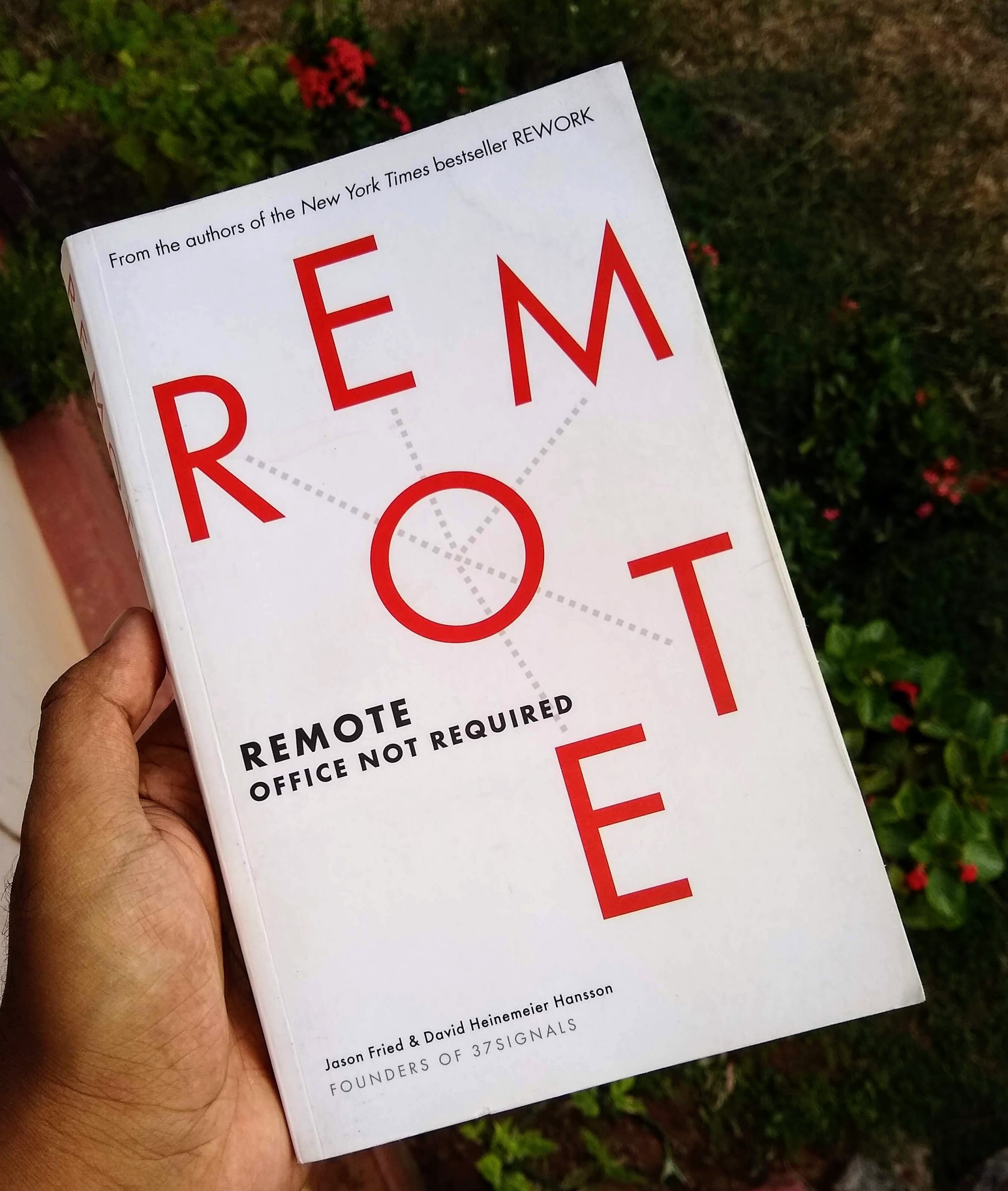
    I have been working remotely for over a year now. I am completing one year at rtCamp soon and before that, I was doing some consulting remotely. During this period, I thought about how I could make remote-work work, and this meant I read some articles and books from people much smarter than I am.