


Wonderful memories.
Every few months, someone writes a post about why they moved off WooCommerce. Shopify is easier. Medusa is more modern. Saleor gives you a real GraphQL API.
They are not wrong about any of those things.
I keep coming back to WooCommerce anyway.
I have evaluated the alternatives. I have built headless commerce setups where WooCommerce was just a backend API. I have worked with REST endpoints that make WooCommerce’s look old.
I am not betting on WooCommerce because it is all I know.
I worked with the WooCommerce Core Extensions team at Fueled (for Automattic). The work involved diving into extensions like Composite Products and Product CSV Import Suite. Investigating bugs, writing documentation, and spending time understanding how these pieces fit together.
I was not looking at WooCommerce from the outside. I saw the inconsistencies in CSV import behavior between extensions. I saw where integration points are maintained on one side but not the other. The codebase has rough spots.
And I still bet on it.
WooCommerce is not just a plugin. It is a commerce ecosystem sitting on top of WordPress, which powers over 40% of the web. No standalone commerce platform can match that distribution.
A merchant running WooCommerce can use the same WordPress skills, the same theme system, the same block editor, the same hosting. Their developer already knows the stack. Their content team already knows the admin. No second platform to learn.
Shopify wins in many isolated comparisons. But Shopify is a walled garden. WooCommerce gives you the full code. You can fork it, extend it, host it anywhere, and own your data. For many businesses, that matters more than a nice onboarding flow.
WooCommerce has thousands of hooks and filters. The extension ecosystem is massive. Yes, this leads to compatibility headaches. I have spent hours tracing why one extension breaks another.
But that extensibility is also why WooCommerce can do things Shopify cannot do without building a custom app. Composite products, complex subscriptions, B2B pricing, multi-vendor marketplaces, custom checkout flows. I have seen it first-hand.
Every extension you add builds on the same foundation. Every custom hook you write works with the same architecture. Over the years, that consistency adds up.
For a while, I thought hosted platforms like Shopify would replace self-hosted solutions for most merchants. No server management, no plugin conflicts, automatic updates. The simplicity argument is strong.
What I underestimated was the cost of constraints. Merchants who start on Shopify eventually hit walls. Custom checkout logic that Shopify does not allow. Data export limitations. Theme restrictions. Monthly fees that scale with revenue rather than with complexity.
WooCommerce’s self-hosted nature is a feature. You pay for hosting, not a percentage of your sales. You control the deployment. You decide when to update and what to customize.
I wrote about why I still bet on WordPress, and Gutenberg was a big part of that. The same logic applies here.
WooCommerce is building block-based checkout, block-based product pages, and block-based cart experiences. Merchants can customize their store layout without touching code. Developers can build custom blocks that plug into WooCommerce data directly.
The separation of structure from styling that Gutenberg brought to WordPress is now flowing into commerce. WooCommerce is inheriting the best architectural decisions WordPress has made in the last five years.
I am not going to pretend everything is great. The developer experience for building WooCommerce extensions is not clean enough. Documentation has gaps. Some core APIs feel dated compared to Medusa or Saleor.
Performance out of the box is not where it needs to be for large catalogs. The admin is getting better with React-based pages, but it is still a work in progress. And the gap between WooCommerce core and its extension ecosystem creates friction merchants should not have to deal with.
Real problems. But solvable ones.
I care less about whether a platform is “modern” and more about whether it lets me ship things that work for real businesses.
WooCommerce gives me ownership, extensibility, and the full power of WordPress underneath. I can choose when to go headless, when to build custom, and when to just install an extension and move on.
The skills transfer to WordPress work and back. The ecosystem keeps growing. The architecture is improving. And with block-based commerce coming, the best parts of WooCommerce are still ahead.
I do not bet on WooCommerce because it is perfect. I bet on it because it compounds.
This may be a bit of an unconventional take.
With that out of the way, let’s get to creating a simple slider using the good old core/columns block.
Let’s add a 3 / 3 / 3 columns block:
stack on mobile uncheckedinner column block having 100% width, and add three images from Sri Lanka’s natural beauty.
Wrap it within a group (with class name .columns-image-slider, and wrap that in another group with a an inner width of, say 720px.
Let us add a core HTML block, with the following content in it:
<style>
.columns-image-slider {
  position: relative;
  overflow: hidden;
}
.columns-image-slider .wp-block-columns {
  display: flex;
  flex-wrap: nowrap !important;
  gap: 0 !important;
  margin: 0;
  padding: 0;
  transition: transform 450ms ease;
  will-change: transform;
}
.columns-image-slider .wp-block-column {
  flex: 0 0 100%;
  width: 100%;
  max-width: 100%;
}
.columns-image-slider .wp-block-column > {
  padding: 0 8px;
 box-sizing: border-box;
}
.ts-slider-btn {
  position: absolute;
  top: 50%;
  transform: translateY(-%);
  z-index: 2;
  border: 1px solid currentColor;
  background: rgba(255,255,2559);
  color: inherit;
  padding: .5rem .75rem;
  border-radius: 999px;
  cursor: pointer;
}

.ts-slider-btn.prev{ left: 0; }
.ts-slider-btn.next{ right: 0; }
.ts-slider-dots{
  display: flex;
  gap: .5rem;
  justify-content: center;
  margin-top: .75rem;
}
.ts-slider-dot{
  width: 10px;
  height: 10px;
  border-radius: 999px;
  border: 1px solid currentColor;
  background: transparent;
  cursor: pointer;
  opacity: .7;
}

.ts-slider-dot[aria-current="true"]{
  background: currentColor;
  opacity: 1;
}
@media (prefers-reduced-motion: reduce){
  .columns-image-slider .wp-block-columns{ transition: none; }
}
</style>

<script>
(() => {
  const carousels = document.querySelectorAll('.columns-image-slider');

  carousels.forEach((root) => {
    const track = root.querySelector('.wp-block-columns');
    if (!track) return;

    const slides = Array.from(track.querySelectorAll('.wp-block-column'));
    if (slides.length <= 1) return;

    // Ensure initial state
    let index = 0;

    // Build controls
    const prev = document.createElement('button');
    prev.className = 'ts-slider-btn prev';
    prev.type = 'button';
    prev.setAttribute('aria-label', 'Previous testimonial');
    prev.textContent = '‹';

    const next = document.createElement('button');
    next.className = 'ts-slider-btn next';
    next.type = 'button';
    next.setAttribute('aria-label', 'Next testimonial');
    next.textContent = '›';

    root.appendChild(prev);
    root.appendChild(next);

    // Dots (insert after carousel so it sits below)
    const dotsWrap = document.createElement('div');
    dotsWrap.className = 'ts-slider-dots';

    const dots = slides.map((_, i) => {
      const dot = document.createElement('button');
      dot.className = 'ts-slider-dot';
      dot.type = 'button';
      dot.setAttribute('aria-label', `Go to testimonial ${i + 1}`);
      dot.addEventListener('click', () => goTo(i));
      dotsWrap.appendChild(dot);
      return dot;
    });

    root.insertAdjacentElement('afterend', dotsWrap);

    function update() {
      track.style.transform = `translateX(${-index * 100}%)`;
      dots.forEach((d, i) => d.setAttribute('aria-current', i === index ? 'true' : 'false'));
    }

    function goTo(i) {
      index = (i + slides.length) % slides.length;
      update();
    }

    prev.addEventListener('click', () => goTo(index - 1));
    next.addEventListener('click', () => goTo(index + 1));

    // Basic swipe support
    let startX = null;
    track.addEventListener('pointerdown', (e) => {
      startX = e.clientX;
      track.setPointerCapture?.(e.pointerId);
    });

    track.addEventListener('pointerup', (e) => {
      if (startX == null) return;
      const dx = e.clientX - startX;
      startX = null;
      if (Math.abs(dx) < 40) return;
      if (dx < 0) goTo(index + 1);
      else goTo(index - 1);
    });

    // Keyboard focus support
    root.setAttribute('tabindex', '0');
    root.addEventListener('keydown', (e) => {
      if (e.key === 'ArrowLeft') goTo(index - 1);
      if (e.key === 'ArrowRight') goTo(index + 1);
    });

    update();
  });
})();
</script>
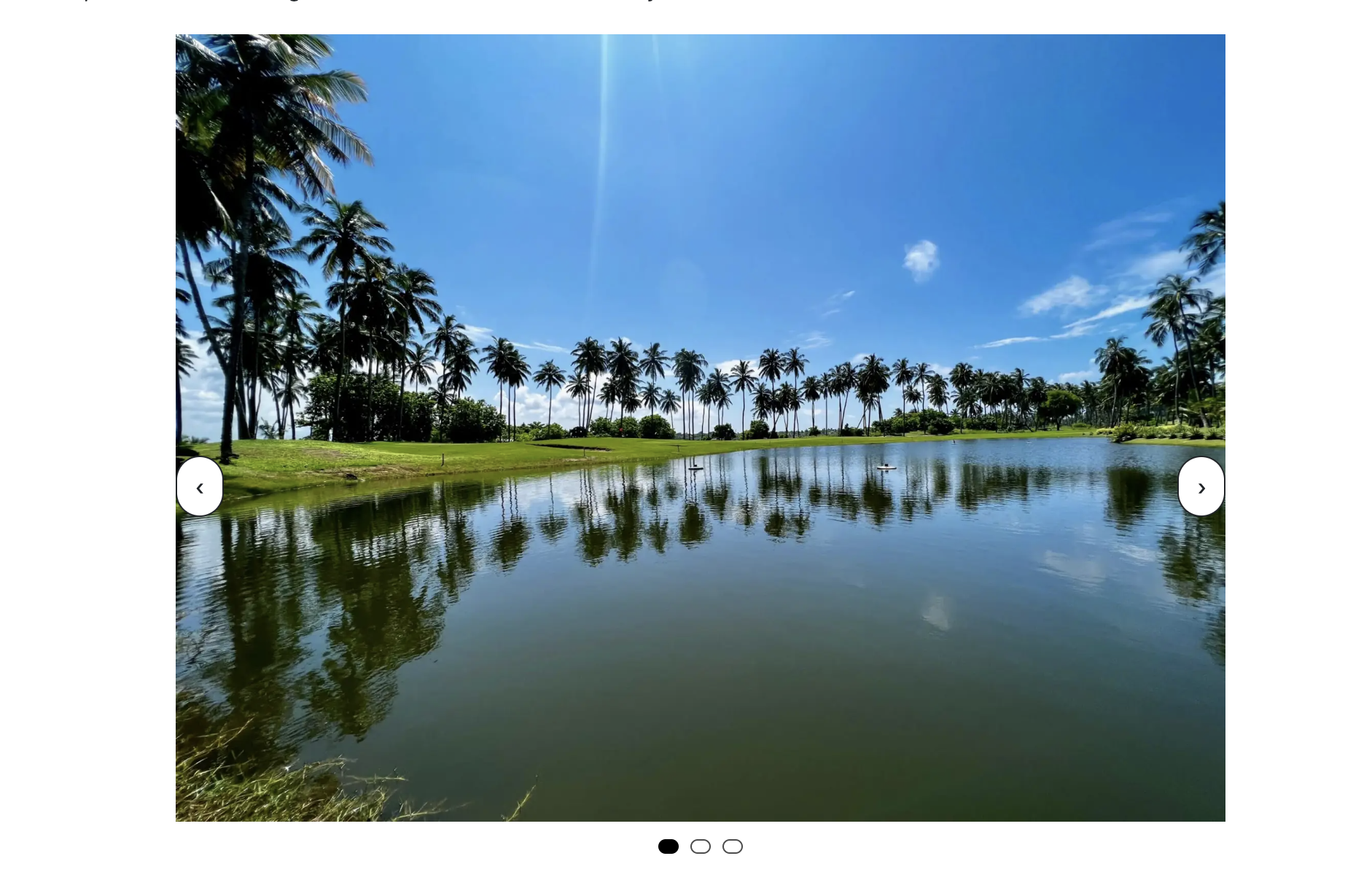
This is what you end up with:


Perhaps this is not a lot, but can be a simple yet effective way to put up testimonials without requiring a whole new plugin (oh!) or come up with experiments on the same page like this.
Thank you!
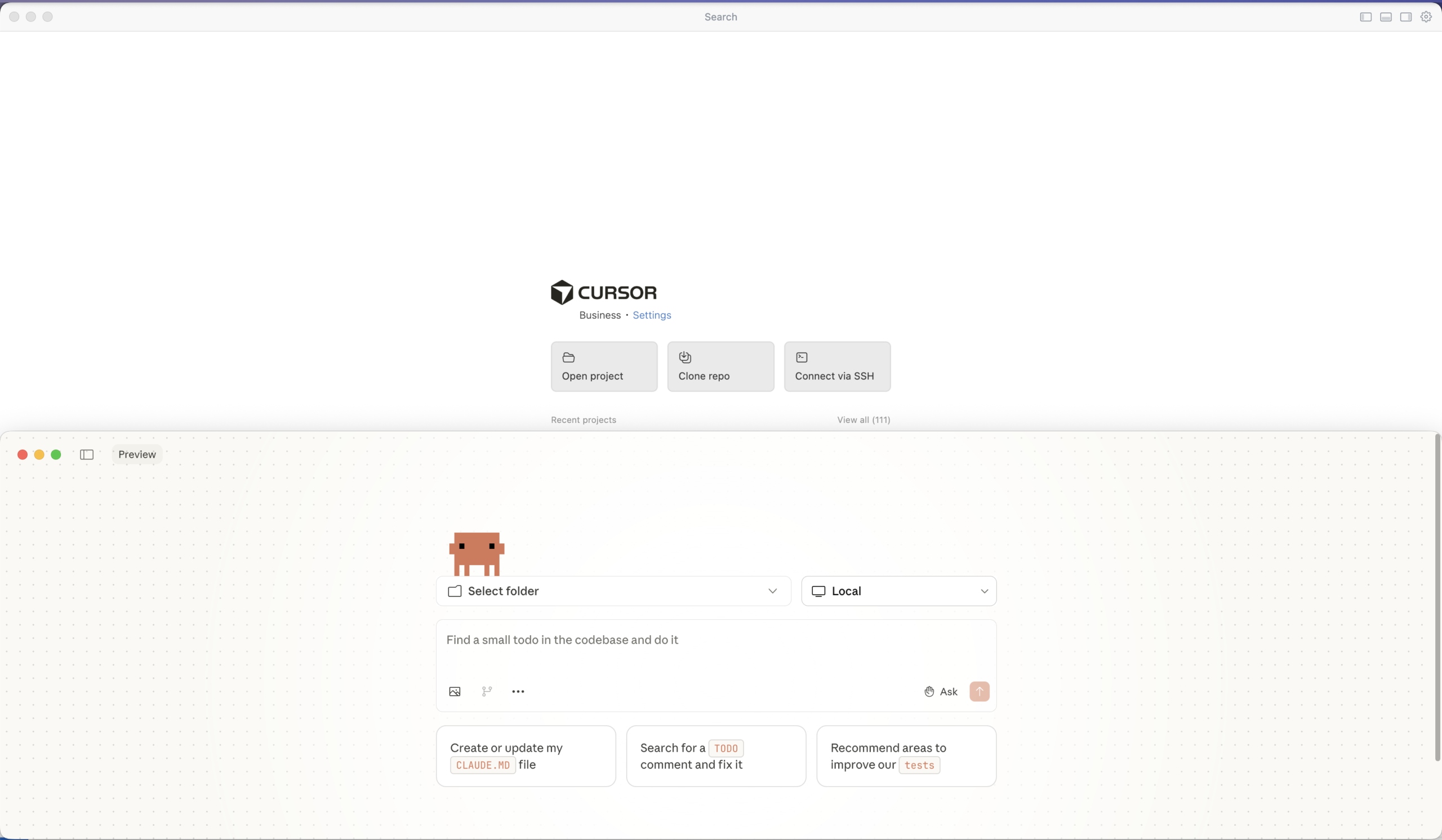
After months of experimentation, I’ve found my ideal AI coding setup: Claude Code Desktop for generation, Cursor for review. Here’s how it works.
Anthropic recently added a native “Code” tab directly inside the Claude Desktop app. It is a GUI for the engine that powers the CLI. One notable feature is its support for isolated Git worktrees. This means you can have a brainstorming conversation in one tab while a “Code” session runs in another, making changes in a separate worktree that won’t touch your main working directory until you’re ready to merge.
Why not git worktree? My workflow is simple enough that I just work directly in my main/feature branch and review everything in Cursor before committing. But if you’re juggling multiple experimental features or want that extra safety net, the worktree support is there.
Why not the CLI? I know many developers swear by the Claude Code CLI, but I’ve found the Desktop app suits my workflow better. There’s something about having a dedicated window for my AI conversations that keeps things organized. I can easily reference previous discussions, and the interface feels more natural for the kind of back-and-forth dialogue I have when working through complex problems.
Here’s how my typical development session looks:
Before writing any code, I start by talking through the problem with Claude. I describe what I’m trying to accomplish, share relevant context about my project, and bounce ideas back and forth. This conversation helps me clarify my thinking and often surfaces edge cases I hadn’t considered. It’s like having a patient colleague who’s always available to rubber duck with.
I then ask Claude to generate a prompt for Claude Code based on this discussion.
I open Claude Code in the Desktop app and paste in the prompt generated from step 1. It would have context about my project structure, the technologies I’m using, and any constraints I’m working with. Claude generates code, explains its reasoning, and I can ask follow-up questions right there in the conversation.
Once Claude has generated the code, I switch to Cursor. This is where I put on my reviewer hat. I don’t just blindly accept what the AI produces—I read through it carefully, understand what it’s doing, and verify it aligns with my project’s patterns and standards.
Cursor’s diff view makes this review process smooth. I can see exactly what’s being added or changed, accept individual hunks, or modify the suggestions before committing.
After reviewing and testing, I accept the changes I’m happy with and commit them with meaningful commit messages.
The separation of concerns is what makes this workflow powerful:
This two-step process forces me to slow down and actually review what the AI produces. It’s easy to fall into the trap of accepting AI-generated code without understanding it. By deliberately switching tools for the review phase, I create a mental checkpoint that keeps me engaged with the code.
AI coding assistants are powerful tools, but they work best when you stay in the driver’s seat. My Claude Code Desktop + Cursor workflow keeps me productive while ensuring I remain the decision-maker for every line of code that ships.
If you’ve been looking for a way to integrate AI into your development process without losing control, give this approach a try. The key is finding the right balance between leveraging AI’s capabilities and maintaining your own understanding of the codebase.
Thanks for reading. Let me know whether you agree/disagree or have a different take.

One of my first bosses, on the day I joined the company asked “Why are we using Windows?” as they saw me struggle with setting up a project using Docker on my Windows laptop. The following day I got a MacBook Pro. I thought I would not look back.
And look back I did. And here I am writing a blog post on a Windows desktop 7 years later.
As the walled garden kept getting richer, the walls started climbing higher. That is not the issue really. The cost of staying within those walls increased as well.
By December 2025, I caved in and got a Nothing Phone. Boy do I love a nice clean Android phone.

Shortly after, I realized what started with an innocent Mac purchase had sucked me in deep in to the ecosystem. Time to get in control, I decided.
That was when I realized I suddenly wanted a PC. In this economy, you may ask. Well, several friends advised that it is better to get it TODAY than to wait another day. So, by the last week of December, I went and purchased a PC with 32GB memory and a GeForce 5060 TI Graphics with 8GB video memory. Plan is to try and run some local LLMs and hoping it speeds up development work.
I am still seeing some issues around npm modules installing on Windows. Either that or I need to figure how to do it the Windows™ way.
At this point in time, I am giving myself a few months – iPhone on left pocket and Android on the right. MacBook on the desk and a Windows tower on the ground. Hoping to go like this and see where it takes me.
Here are my past writing on this topic:
Let me know your thoughts on the whole ecosystem war!

I logged in to this site today, and was pleasantly surprised to be welcomed by this notification.

I figured today, is as good as any day to reflect on my time using WordPress and what I had been doing with it.
Created a blog at mtwoblog.wordpress.com thereby creating a free account on WordPress.com. Wrote about my experiments with Arduino. Little did I know my nephews would pick up that hobby almost a decade later.
Moved from a free hosting to a self-hosted site with a custom domain. Hosting was provided by my friend who now runs GuardKite. Learned about custom plugins and themes as well as about the WP repository.

Started frequenting the WordPress Colombo Meetup group. Met some amazing folks who I am in touch with until today.
Also, founded a WordPress agency based in Colombo.
Helped organize the first WordCamp in my country.
Explored the WordPress REST API and GraphQL; two technologies that would define a large part of my career.
Wrote 3 articles for Smashing Magazine – a leading web publications for those working on the web.
Spoke at my first large online conference; another aspect that would go on to define my life and career.
Joined rtCamp – a top WordPress company in the world as a React Dev working remotely.
Represented at WordCamp US – my first flagship event – albeit remotely, as I did not get to physically be there.
COVID happened. I continued working remotely and writing on various topics, such as lessons learned which were not strictly about work or tech. This category of my writing resonated a lot with you all and I love to write about it too.
Worked on a production headless WordPress project with GraphQL and Gutenberg. Continued speaking at a few events including the first WordCamp India.
It’s been an incredible decade. What started as a simple Arduino blog on WordPress.com has evolved into a career, a community, and a way of life.
Continued deepening my expertise in headless WordPress and the block editor. The ecosystem was maturing rapidly, and I found myself at the intersection of traditional WordPress and modern JavaScript frameworks.
Expanded my speaking engagements and continued contributing to the WordPress community. The rise of Full Site Editing brought new opportunities to explore and share knowledge about the evolving platform.
A year of consolidation and growth. WordPress continued to evolve, and so did my role within the ecosystem. The community remained as vibrant as ever, with new faces joining and veterans continuing to contribute.
And here we are – 10 years since I first created that Arduino blog. WordPress has been more than just a platform; it’s been a gateway to incredible opportunities, lasting friendships, and continuous learning.
Ten years ago, I couldn’t have imagined where this journey would take me. From experimenting with Arduino projects to writing for Smashing Magazine, from attending local meetups to speaking at international conferences, from running a small agency to working with one of the top WordPress companies in the world – every step has been shaped by this remarkable open-source community.
WordPress taught me that technology is ultimately about people. The code we write, the sites we build, the content we create – it all comes back to connecting with others and making their lives a little bit better.
Here’s to the next 10 years. 🎉


Every few months, someone declares that WordPress is dead.
I keep building outside it — and still coming back.
Not because I’m stuck.
Not because I don’t know better tools.
But because after a decade of shipping real products, WordPress continues to win in places most comparisons ignore.
I’ve pulled Gutenberg out of WordPress entirely to build editor experiences. I’ve shipped headless setups where WordPress is nothing more than a content API. I’ve built React applications that never touch PHP. I’ve worked on projects where WordPress would have been the wrong choice — and I knew it.
I’m not betting on WordPress because it’s all I know.
For a long time, I believed headless and fully decoupled frontends were the inevitable future — and not without reason. I chased cleaner architectures, React-first workflows, and the promise of total flexibility. In many cases, they delivered exactly that.
What I got wrong was treating this approach as a default instead of a tool.
The hidden cost wasn’t performance or technical complexity — it was friction. Previews broke. Editorial workflows slowed down. Simple changes required deploys. Teams gradually lost autonomy in ways that were easy to ignore at first.
Headless isn’t the problem; uncritical adoption is. Over time, I learned that most projects don’t need maximum flexibility. They need reliability, ownership, and a stack that doesn’t fight back.
That realization is a big part of why I still bet on WordPress today.
Gutenberg’s value isn’t the editor — it’s the architecture underneath.
Blocks are portable UI contracts. A block defines its structure, its attributes, its allowed variations. That definition travels with the content, not the theme. Switch themes, the content survives. Query blocks programmatically, the structure is already there. This is what years of shortcode chaos never gave us.
Then there’s the shift toward declarative configuration. block.json and theme.json moved WordPress away from scattered PHP hooks toward predictable, tooling-friendly JSON. You can lint it, version it, generate it. It’s not perfect, but it’s a direction that finally aligns with how modern development works.
The separation of structure from styling matters more than people realize. Classic WordPress tied content to presentation so tightly that switching themes meant rebuilding pages. Blocks broke that coupling. Structure lives in the content layer; styling lives in the theme. Long-term projects benefit from this in ways that aren’t obvious until year two or three.
Blocks also scale better than their reputation suggests. Patterns, variations, and InnerBlocks let you build component systems without page builder bloat. Agencies are shipping block libraries now — not plugins full of shortcodes, but composable pieces with real contracts.
Gutenberg is misunderstood by both its critics and its fans. Critics see it as a slow page builder chasing Elementor. Fans oversell it as a design tool for non-developers. Both miss the point. The real value is that WordPress finally has a content model that isn’t just HTML in a database column. That’s a foundation you can build on for years.
At this point in my career, I care less about architectural purity and more about leverage.
WordPress gives me distribution, mature editorial workflows, and a content model that has finally caught up with modern development. It lets me choose when to decouple, when to go headless, and when to keep things boring — without forcing that decision upfront.
Most platforms push you toward extremes. WordPress lets you stay in the middle longer, and that’s where most real projects live.
I don’t bet on WordPress because it’s perfect. I bet on it because it compounds. The skills last. The ecosystem lasts. The content lasts. And with Gutenberg, the architecture finally does too.

Let’s look at how you can use Gutenberg and Full Site Editing to create Breadcrumbs for your WordPress site.
You would need to install the latest version of WordPress and a plugin that has FSE (Full Site Editing) support.
You would also require the The Icon Block by Nick Diego.
Here’s the code. You can copy it and paste it in your Single Post template.
<!-- wp:group {"layout":{"type":"flex","flexWrap":"nowrap"}} -->
<div class="wp-block-group"><!-- wp:outermost/icon-block {"iconName":"wordpress-home","iconColor":"secondary","iconColorValue":"#0099ff","linkUrl":"/","width":"24px"} -->
<div class="wp-block-outermost-icon-block"><a class="icon-container has-icon-color has-secondary-color" href="/" style="color:#0099ff;width:24px"><svg xmlns="http://www.w3.org/2000/svg" viewBox="0 0 24 24" aria-hidden="true"><path d="M12 4L4 7.9V20h16V7.9L12 4zm6.5 14.5H14V13h-4v5.5H5.5V8.8L12 5.7l6.5 3.1v9.7z"></path></svg></a></div>
<!-- /wp:outermost/icon-block -->

<!-- wp:outermost/icon-block {"iconName":"wordpress-chevronRight","customIconColor":"#7e7e7e","iconColorValue":"#7e7e7e","width":"24px"} -->
<div class="wp-block-outermost-icon-block"><div class="icon-container has-icon-color" style="color:#7e7e7e;width:24px"><svg xmlns="http://www.w3.org/2000/svg" viewBox="0 0 24 24" aria-hidden="true"><path d="M10.6 6L9.4 7l4.6 5-4.6 5 1.2 1 5.4-6z"></path></svg></div></div>
<!-- /wp:outermost/icon-block -->

<!-- wp:post-terms {"term":"category","style":{"elements":{"link":{"color":{"text":"var:preset|color|secondary"}}}},"textColor":"secondary","className":"text-decoration-none","fontSize":"small"} /-->

<!-- wp:outermost/icon-block {"iconName":"wordpress-chevronRight","customIconColor":"#7e7e7e","iconColorValue":"#7e7e7e","width":"24px"} -->
<div class="wp-block-outermost-icon-block"><div class="icon-container has-icon-color" style="color:#7e7e7e;width:24px"><svg xmlns="http://www.w3.org/2000/svg" viewBox="0 0 24 24" aria-hidden="true"><path d="M10.6 6L9.4 7l4.6 5-4.6 5 1.2 1 5.4-6z"></path></svg></div></div>
<!-- /wp:outermost/icon-block -->

<!-- wp:post-title {"style":{"typography":{"fontStyle":"normal","fontWeight":"400"},"color":{"text":"#4a4949"}},"fontSize":"small"} /--></div>
<!-- /wp:group -->

<!-- wp:separator {"style":{"color":{"background":"#a8a8a8"}},"className":"is-style-wide"} -->
<hr class="wp-block-separator has-text-color has-alpha-channel-opacity has-background is-style-wide" style="background-color:#a8a8a8;color:#a8a8a8"/>
<!-- /wp:separator -->
Once copied and saved, the frontend of the template would look something like this:

Enjoy!